Electronic signatures for photographers: are you starting sessions with unsigned contracts?
There are three weeks to go before a wedding, and the contract still hasn’t been signed. You emailed it as a PDF, the couple said they would read it when they had a moment, and since then the message has been buried under other client inquiries, quotes, and calendar notifications. You’ve already held the date. So have they. But on paper, nothing has been signed yet. It’s exactly the kind of situation that electronic signatures for photographers can resolve in minutes.
The same thing happens with weddings, first communions, family sessions, and newborn shoots. The problem isn’t that clients don’t want to sign. It’s that the signing process is inconvenient, slow, and hard to track. With electronic signatures for photographers and photography contracts with online signing, you can send the agreement as soon as a session is booked and check who has signed at any time.
In this article, we’ll look at why so many contracts get left unfinished, what can go wrong when a session starts without a signed agreement, and how to get clients to sign on time without printing or scanning. If you need a template to help you write your agreement, see our guide to the photo session contract. Here, we’re focusing on the part that often falls through afterward: getting it signed.

“A well-written contract does little good if no one signs it: an electronic signature makes the agreement a natural part of booking.”
Why so many photography contracts go unsigned

Very few photographers forget to send the contract. What tends to go wrong is what happens next: the client has to open a file, read it, find a moment to sign, and send it back through the same channel. Every step is a chance to put it off. And because the booking has already been discussed, no one feels a sense of urgency. These are the three most common obstacles to getting photography clients to sign contracts.
The emailed PDF gets lost among other messages
Sending a contract as an attachment seems like the easiest option, but it turns signing into one more task in an overflowing inbox. The client opens the email on their phone, sees a PDF several pages long, and decides to look at it later on a computer. That “later” can last for days.
Meanwhile, your message is competing with bills, advertising, and work conversations. If the family shares an email account or rarely checks it, the attachment might never even get read. And when they finally open it, they may have questions they hesitate to put in writing, so they put it aside again.
For you, the impact is twofold. First, you have to remember to follow up. Second, each reminder means finding the thread, resending the file, and checking that it’s still the right version. If you’ve corrected a date or a price, there’s also a risk that two versions of the same document will be circulating.
A good approach is to keep the conversation separate from signing. Messages are for answering questions; the contract should arrive with a clear link, a single document, and a straightforward way to sign it. That’s exactly what electronic signatures for photographers provide. The less searching a client has to do, the more likely they are to sign as soon as they receive it.
Think about the last time you left a document for another day. It probably wasn’t because you didn’t trust it, but because the process involved too many steps. Your clients respond the same way.
Printing, signing by hand, and scanning make the process harder
Some clients are still told to “print, sign, and return a scanned copy.” For a photographer, that may be a familiar way of working. For a couple planning a wedding or a parent with a newborn, it’s a task that takes effort. Not everyone has a printer, a scanner, or time to find a print shop.
That’s when improvised solutions appear: a phone photo of the paper, a signature cropped from another document, or a scribble pasted awkwardly onto a PDF. These copies can be difficult to read, tilted, cut off, or poorly lit, forcing you to request another one.
The contract may also come back signed by only one party. You save it in one folder, the client saves it in another, and when someone needs to check it months later, neither can find the final version.
If you run seasonal campaigns, such as Christmas or first communion sessions, the problem multiplies. With lots of bookings arriving in a few days, it’s hard to find time to chase each document individually. The contracts left unsigned are often those for clients who booked closest to the session date.
Electronic signatures for photographers remove the physical steps. The client reads the text on screen and signs with a finger or mouse, without printing anything. It’s the same agreement with less friction.
No one knows for sure who has signed
When contracts move through email, WhatsApp, or Instagram, remembering where each one stands depends on your memory. Who did you send it to? Who replied, “I’ll sign it shortly”? Which client sent it back without the second page? Without one place to check, you end up going through conversations to find out.
This becomes especially difficult as the session date approaches. If you have several bookings in the same week, checking contracts one by one takes time you could spend preparing your equipment, responding to clients, or editing.
A lack of follow-up also affects how professional you appear. An occasional reminder is normal. Asking for the same document three times, with increasingly awkward messages, is uncomfortable for both of you. And if you forget, you discover the problem when it’s already too late.
Ideally, each contract should be connected to its client and session, with a visible status: pending or signed. In Arcadina’s contracts section, you can check the signatures tab to see whether a contract is waiting or signed, and resend it if a few days have passed.
Having that information in front of you changes the way you work: you stop chasing paperwork and start managing it. That’s one of the benefits of electronic signatures for photographers: every contract’s status is easy to check.
The risks of starting a session without a signed contract

An unsigned photography contract is more than an unfinished task: it leaves you without a signed record of what you discussed. When everything goes smoothly, you may never miss it. When a disagreement arises, it’s the document you’ll want to refer to. These are the three areas where it matters most. This article provides general information and does not replace advice from a qualified legal professional.
Misunderstandings about what’s included
When your terms exist only in scattered conversations, each party remembers them differently. You know the package includes twenty edited photos; the family thinks they’ll receive every image you take. You allow for two hours of coverage; they expect you to stay until the celebration ends.
These mismatches rarely come from bad intentions. They happen because no one has written down exactly what’s included, and because common phrases like “full coverage” or “delivery soon” mean different things to different people. A signed agreement gives you a shared reference point when questions arise.
An electronic signature also has a less obvious benefit: it creates an opportunity to read the terms. A client who reads carefully before signing better understands deadlines, extras, and delivery, and arrives with more realistic expectations. That means fewer follow-up messages and fewer uncomfortable conversations after the gallery is delivered.
If you’re still unsure which clauses to include, consult our photo session contract template guide and adapt it to your services. Once it’s written, the important thing is to have the client sign before the session.
Cancellations, rescheduling, and payments without clear terms
Bookings get canceled for many reasons: illness, a change of plans, or a date that no longer works. These are normal situations. The problem comes when you have to decide what happens to money the client has already paid, or the time you’ve held in your calendar, and the rules haven’t been written down.
Without a signed contract, every case is negotiated from scratch. You may end up applying different standards to different clients, which can create resentment if they find out. You can also find yourself in a tense conversation with someone who insists they were never told about a particular condition.
A signed contract helps set out notice periods, rescheduling options, and how booking payments will be handled. The key is for the client to read and accept those terms before an unexpected event occurs.
Have a qualified professional review these terms. Consumer protection, refunds, and booking rules vary by jurisdiction and client type, and wording copied from another studio may not be appropriate for yours.
If you use a booking calendar, it helps when the contract comes from the booking itself and reflects what the client saw when booking. Below, we’ll explain how to connect them. When the date, price, and terms match across all documents, issues are easier to resolve, especially when you manage your online photography contracts from one dashboard.
Sessions with minors and permission to use images
If you photograph children, babies, or teenagers, it matters who can sign and give permission. Family, first communion, and newborn sessions involve minors, and using their images requires particular care, especially if you want to share them on your website or social media.
The person making the booking isn’t always the only person whose authorization matters. A parent may book, and another may later question why images were published. At a wedding, the couple signing the contract cannot simply give permission on behalf of every guest in the photos.
That’s why you should distinguish between the service agreement and permission to publish images. Signing the first does not automatically grant the second. Explain which images you want to share, where, and for what purpose, and record what the client accepts or declines. With Arcadina’s contract management for photographers, you can keep those permissions alongside each booking.
Prepare separate wording for image-use permissions and adapt it to the people involved and the intended uses. Keep it clear and specific so clients understand what they are being asked to authorize.
Always have the final text reviewed by a professional familiar with the laws that apply to your business. Privacy and the use of images of minors require particular care, and the appropriate authorization can depend on the situation.
Electronic signatures for photographers: 4 ways to get clients to sign on time
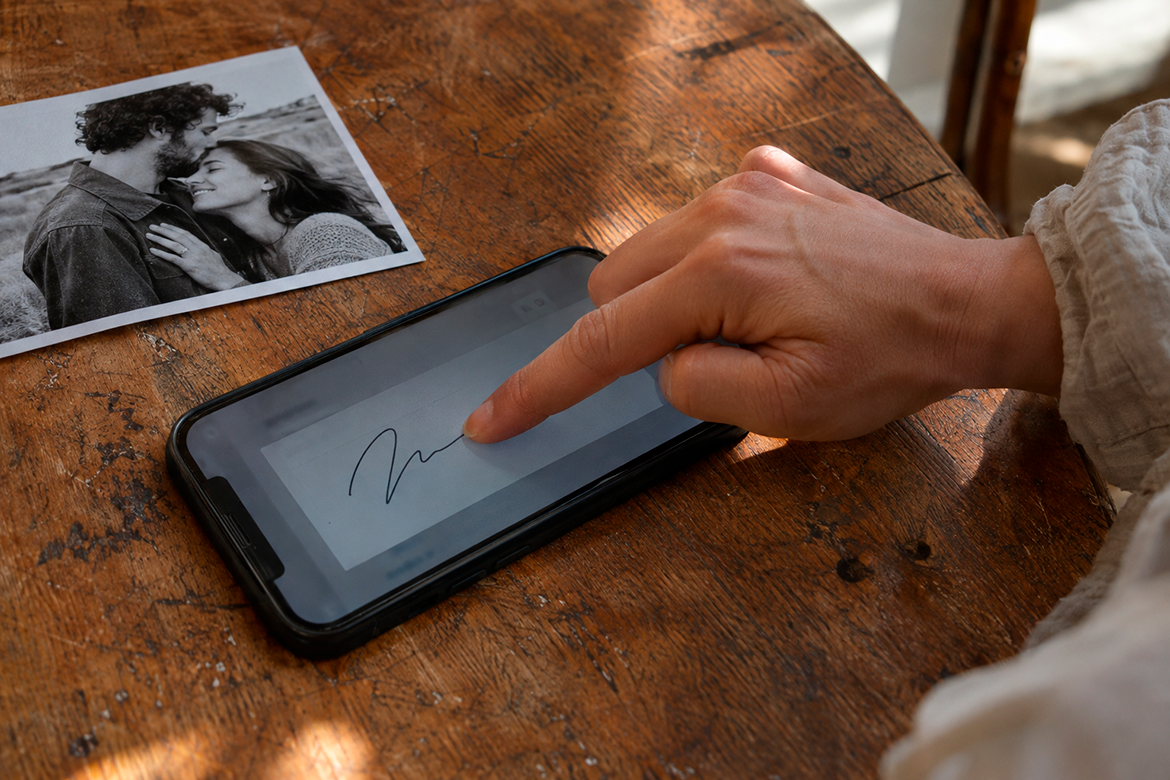
Getting clients to sign on time is about making it easy with a clear, quick process for electronic signatures for photographers. These four tips reduce the steps clients need to take and help you keep track of every contract.
1# Send the contract as soon as you confirm the booking
The best time to sign is when the client has just made their decision. They’re excited, the service is fresh in their mind, and they haven’t moved on to other tasks. Every day between booking and receiving the contract reduces that momentum.
If you use a booking calendar, you can automate this step. In Arcadina, when a client books a session through Booking, the corresponding contract is generated as long as you’ve assigned a template to that session type. Set it in the session type’s general settings using the contract template option. You’ll then find each session’s contracts in Booking’s sessions section. Read more in “Arcadina contracts and reservations are now connected.”
If the booking came through another channel, you can create the contract manually from the session page and send it that same day.
A practical tip: tell the client to expect the contract. A sentence like “You’ll receive an email with a link to sign online; it only takes a couple of minutes” answers questions in advance and helps keep the message from being mistaken for advertising.
When the contract is part of booking, the electronic signature becomes a natural step in the process.
2# Let clients sign on their phone without printing or scanning
Many clients will open your email on their phone, so they need to be able to sign right there. With Arcadina’s electronic signatures for photographers, the client receives an email with a link, reads the contract on screen, and signs with a finger—or a mouse on a computer. If they’re unhappy with the signature, they can clear it and try again.
They don’t need to print anything or send photos of the document. Once both parties have signed, the client receives a second email with the PDF, giving them a copy from the start.
Pay attention to the details. Personalize the email in a friendly tone, explain that the link opens your studio’s contract, and say how long it will take. An impersonal message can look like spam.
Think about who needs to sign, too. If several people are signing, such as a couple, you can specify how many clients must sign when you create the contract. That makes it clear from the beginning who needs to complete the process.
Before sending, test it on your own phone. You’ll see what the client sees and spot any wording that’s confusing or too long.
3# Start with templates adapted to each type of session
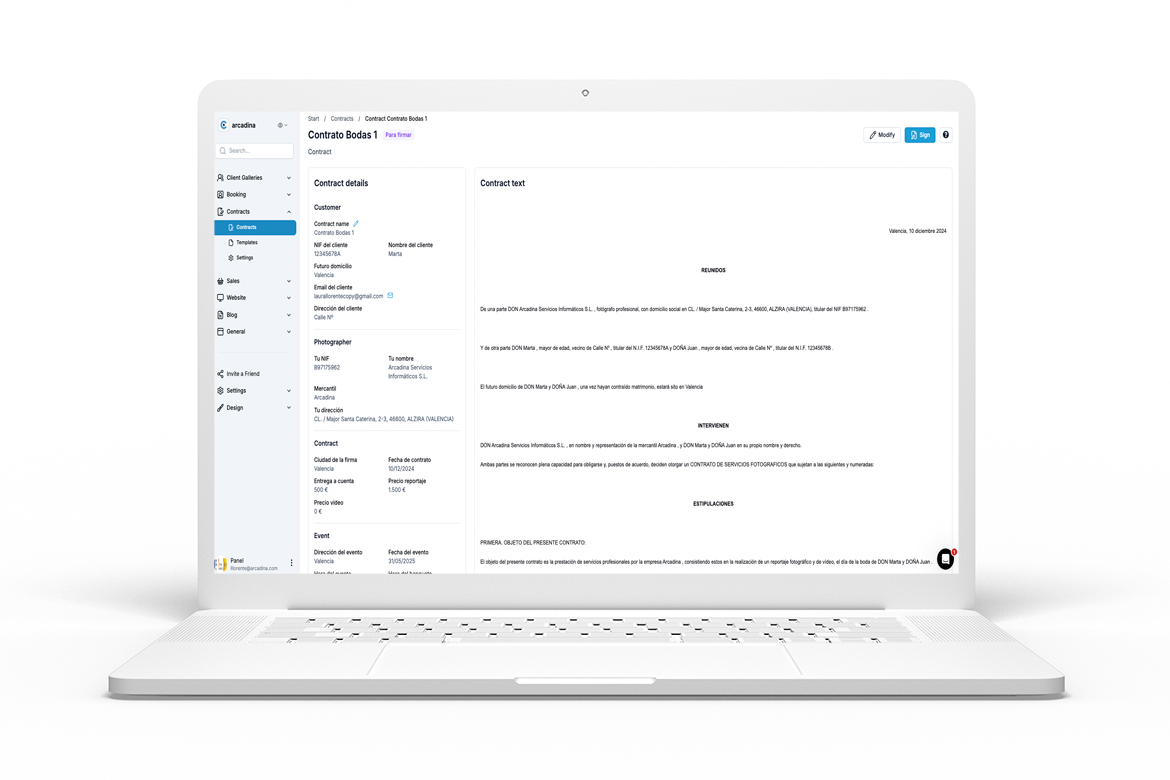
Writing a contract from scratch for every client is slow and makes mistakes more likely. A template for each session type lets you send an agreement in minutes and keep your terms consistent before requesting an electronic signature.
Use the templates section in Arcadina’s contract tools to prepare your own agreements. Adapt the wording to your services and have it reviewed for your business and jurisdiction before sending it to clients. You can adjust the text for an individual contract when needed.
Think about your usual services. You’ll probably need one template for weddings, one for family and newborn sessions, another for first communions, and one for commercial photography or digital file sales. Each should have its own deadlines, deliverables, and permissions.
Variables, such as the client’s name or event date, fill in details that change from one booking to another. Always review the fields before sending, since they vary by template.
Keep everything consistent: if your website promises twenty photos and the template says fifteen, the problem returns. Review your templates whenever you change packages or prices, and ask a professional to validate the wording, as the dashboard itself recommends.
4# Track every signature in one place
Sending a contract without following up is still a risk, even with electronic signatures for photographers. You need to see which contracts are signed and which are pending without searching your inbox.
In Arcadina, each contract has a signatures tab showing whether it’s waiting or signed, along with a signature thumbnail and the date and time it was added. If a few days pass without the client signing, you can resend it with a button. That lets you send a reminder in seconds with the correct link.
Set a simple routine. For example, review pending contracts once a week and, when a session is less than two weeks away, resend any still waiting. During busy booking periods, check every few days.
Consider how you handle changes, too. If you edit a contract you’ve already sent, the previous link stops working until you send it again. A signed contract can’t be edited: if something changes, a new one is generated and the previous one is invalidated. This helps prevent different versions of the same agreement from circulating.
With everything organized, your calendar feels more manageable: you know which sessions have a completed agreement and which need one final follow-up.
Make signing the contract a natural part of your workflow
A clear booking process starts with the reservation, continues with a signed contract, and ends with a well-prepared session. When each step connects to the next, clients know what to expect and you spend less time putting out fires.
The aim is to finalize the agreement simply before work starts and make sure both parties keep a copy. That peace of mind carries through to delivery, payments, and your relationship with the client.
With Arcadina’s online photography contracts, you can send a contract through a link, let clients sign on their screen, and check its status from your dashboard. The feature is available with Manager plans, which you can try for 30 days without a credit card.
If you haven’t tried electronic signatures for photographers yet, start with your next client: prepare a template, connect it to your session type, and send it as soon as the booking comes in. After two or three contracts, you’ll notice how much time you save.
How many contracts have you sent that are still waiting to be signed?
Arcadina is with you every step of the way
Follow your dreams and build your photography career with us. Try Arcadina free for 30 days, with no credit card and no long-term commitment.
Arcadina is much more than a website: it’s business solutions for photographers.
If you have any questions, our Customer Support Team is here to help 24 hours a day, 7 days a week. We’re listening.
Quotes · Contracts · Invoices
Quotes, contracts and invoices in one place
Invoices and quotes · Digital signature · Linked to your bookings