Your photography website’s security: what you maintain and what a managed platform does for you
On 21 October 2026, the PHP team released an urgent security update. It fixed two vulnerabilities rated critical (9.2 out of 10) which, in the wrong hands, allowed code to be run on a website’s server. PHP is the technology behind millions of web pages, including almost every site built with WordPress.
That same day, thousands of system administrators around the world rushed to update their servers. The question that matters to us as photographers is a different one: who had to apply that patch to your website? The answer depends on how your site is set up, and it is worth knowing before you need it.
Why your website’s security is a business matter
Your website is more than a shop window. It holds private galleries, your clients’ contact details, quote forms and, sometimes, payments and contracts. If someone gets in where they shouldn’t, the problem is not technical, it is about trust:
- Your clients trust you with their photos. A wedding, a newborn or a maternity shoot are deeply personal memories.
- You are responsible for their data. Under the GDPR and similar laws, you are responsible for the personal data you collect, even if someone else runs your website.
- Google flags compromised websites. An infected site can show warnings in search results and lose visitors for weeks.
- Fixing it costs time and money. Cleaning up a hacked website usually means hiring a technician and days without working normally.
The layers of a website and who looks after each one
A website is not a single piece. It runs on several layers, and each one needs maintenance:
- The server and its operating system: the computer your website lives on.
- The language and database (PHP, MySQL): what makes the pages work.
- The content management system (CMS): WordPress, Joomla or the one your platform uses.
- Themes and plugins: the design and the extra features.
- The SSL certificate: the padlock and «https» that encrypt what your visitors send.
- Backups: what lets you roll back if something goes wrong.
- Your logins: your password and the email you recover it with.
What changes from one model to another is who takes care of each layer:
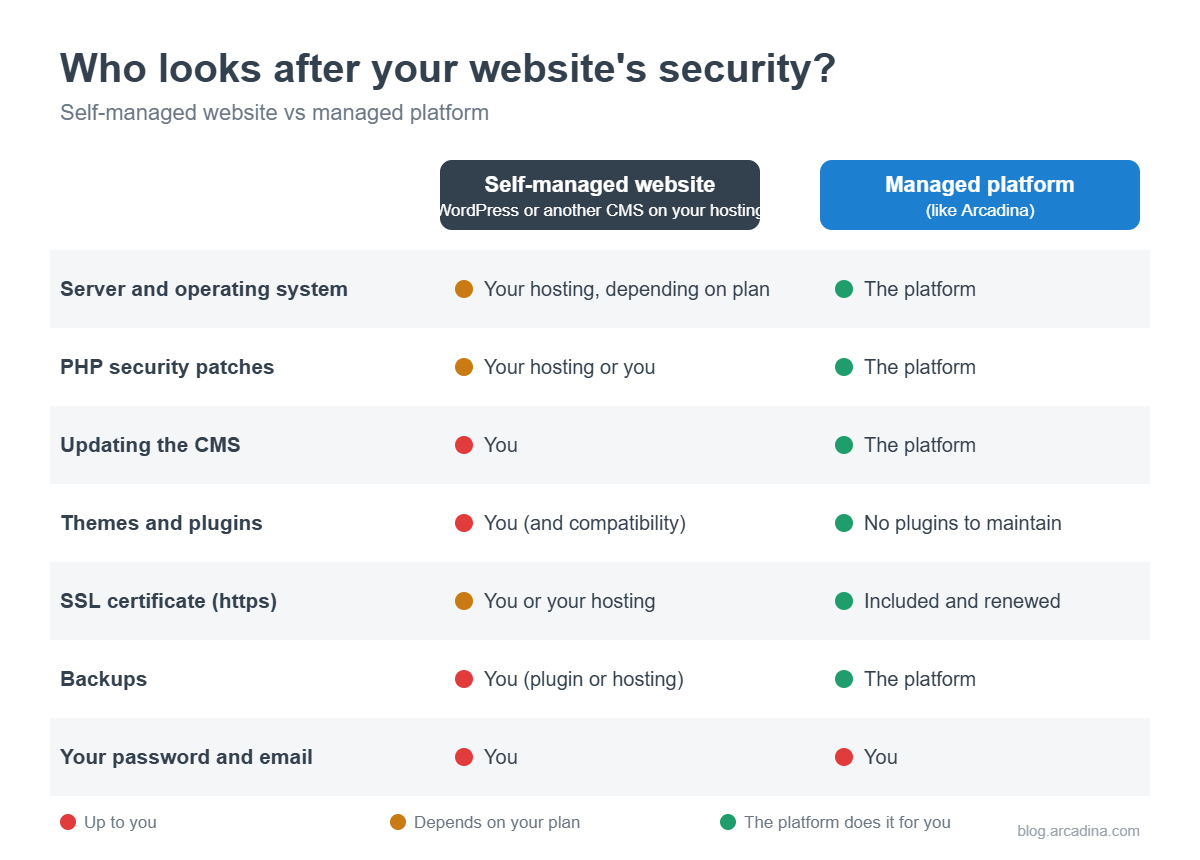
If you run WordPress: your maintenance checklist
WordPress is not insecure in itself. It is heavily reviewed software that is updated often. The risk appears when nobody applies those updates, because on your own installation that job is yours. At a minimum, keep on top of the following:
- Update WordPress, your theme and your plugins as soon as a security release comes out, and then check nothing has broken.
- Remove plugins you don’t use and watch out for ones that haven’t been updated in a while: an abandoned plugin is an open door.
- Check your PHP version. Patches like the one on 21 October only reach supported versions. On shared hosting the provider usually applies them, but you often choose the version yourself and have to upgrade it when it stops receiving fixes.
- Make backups and test restoring them. A backup you have never restored is just a hope.
- Check that your SSL certificate renews and that your whole site loads over https.
- Install a security plugin or firewall and review its alerts from time to time.
- Review who has access to your dashboard and remove anyone who shouldn’t any more.
None of this is difficult, but it never stops. If you enjoy the technical side, it is perfectly manageable. If you would rather spend that time editing, looking after clients or out shooting, there is another option.
What a managed platform does for you
On a managed platform, the provider takes care of the server, the software and the updates for every website at once. You log into your dashboard, upload your photos and get on with your work. That’s it.
This is how it works at Arcadina:
- We apply security updates ourselves, as soon as they are released. For example, we installed the 21 October PHP patch on all our servers that same day, without our clients having to do anything or noticing any interruption.
- There are no third-party plugins to maintain. Your website’s features, your private client galleries and your shop are part of the platform and are updated with it.
- Your SSL certificate is included and renews automatically.
- We back up our servers, so information can be recovered if something fails.
- If you have a question, you talk to people who know the platform and answer you in your language.
No system is invulnerable, and anyone who promises otherwise is not being honest. The difference is having someone keep watch every day and act fast when a problem appears, instead of finding out from a Google warning.
What is still up to you (even with Arcadina)
A managed platform handles the technical side, but there are things only you can take care of:
- A long, unique password for your dashboard that you don’t use anywhere else. A password manager makes it easy.
- Two-step verification, on your dashboard and your email, wherever it is available.
- Your email account. Whoever gets into your email can reset the passwords for everything else.
- Being wary of urgent messages asking you to click a link to «verify your account» or «renew your domain». If in doubt, go straight to your dashboard or get in touch with us.
- Your legal texts. If you collect data through forms, you need an up-to-date legal notice and privacy policy.
If you want to go deeper into these habits, we explain them in detail in our cybersecurity tips for photographers.
6 questions to ask before choosing where to host your website
Whether you are choosing hosting or a platform, these questions will tell you who will take care of what:
- Who applies security updates, and how quickly?
- Is an SSL certificate included, and does it renew automatically?
- Do they make backups? How often, and who restores them if needed?
- Where are the servers? For data protection, it matters that your data and your clients’ data are well protected.
- What happens if my website is attacked? Will they help me recover it, or do I need to find a technician?
- Can I talk to someone in my language when I have a problem?
If you are comparing options, our guide to hosting for photographers covers the other criteria: space, speed, domain and types of hosting.
You take the photos, we handle the tech
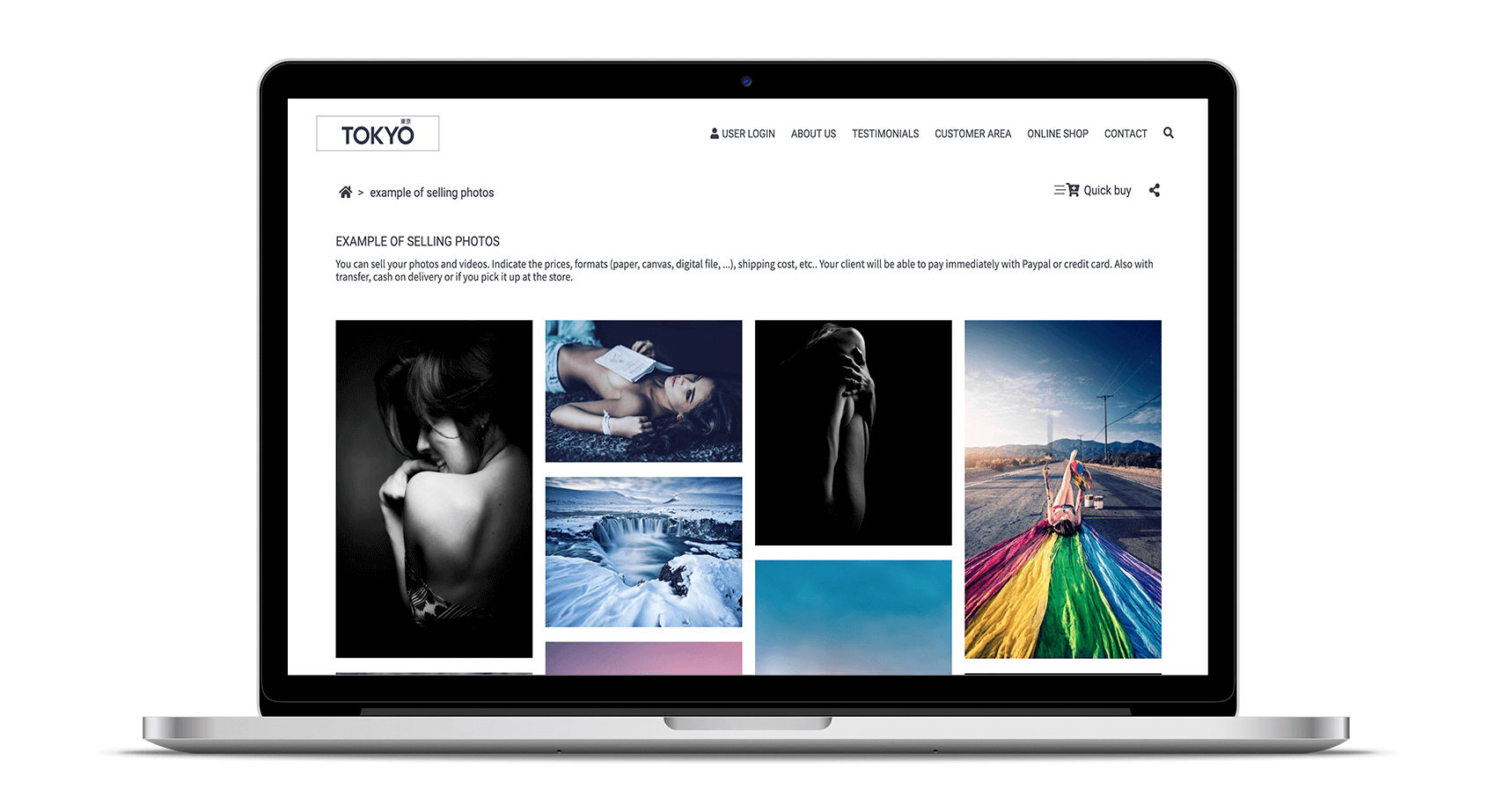
A website’s security goes unnoticed when it works, and that is exactly why it is easy to forget. If you would rather not keep track of patches, plugins and certificates, a managed platform takes that worry off your plate.
With Arcadina you get your website, client galleries and business tools in one place, with maintenance included. See the plans and try it for free.
Free trial · No card · No lock-in
Build your photography business online
Sales with no commission · Everything in one plan · 30-day free trial, no card